
Manual workdone automatically.
COREC orders → freee invoices: 8 hours down to just 10 minutes. Pick a template, AI does the rest.






How is Saturn different from general AI?
ChatGPT and Claude are versatile. But bulk business data processing, storage, and integration? Not designed for it.
| ChatGPT | Gemini | Perplexity | Manus | Claude | Saturn | With Saturn | |
|---|---|---|---|---|---|---|---|
| Bulk processing | × | × | × | △ | △ | ◎ | Drop 100 companies → all columns auto-fill |
| Built-in company DB | × | × | △ | × | × | ◎ | 6M+ companies from EDINET, gBizINFO, and other public DBs |
| Data accuracy | × | × | △ | △ | × | ◎ | Public data + actual site crawl. No hallucinations |
| Results persist in tables | × | △ | × | △ | △ | ◎ | Stored in Excel-like tables. Search, sort, filter |
| Decision-maker ID | × | × | × | △ | × | ◎ | Auto-extract officers from annual reports → direct mail targets |
| Letters & proposals | △ | △ | × | △ | △ | ◎ | Company-aware letters exported to Word in bulk |
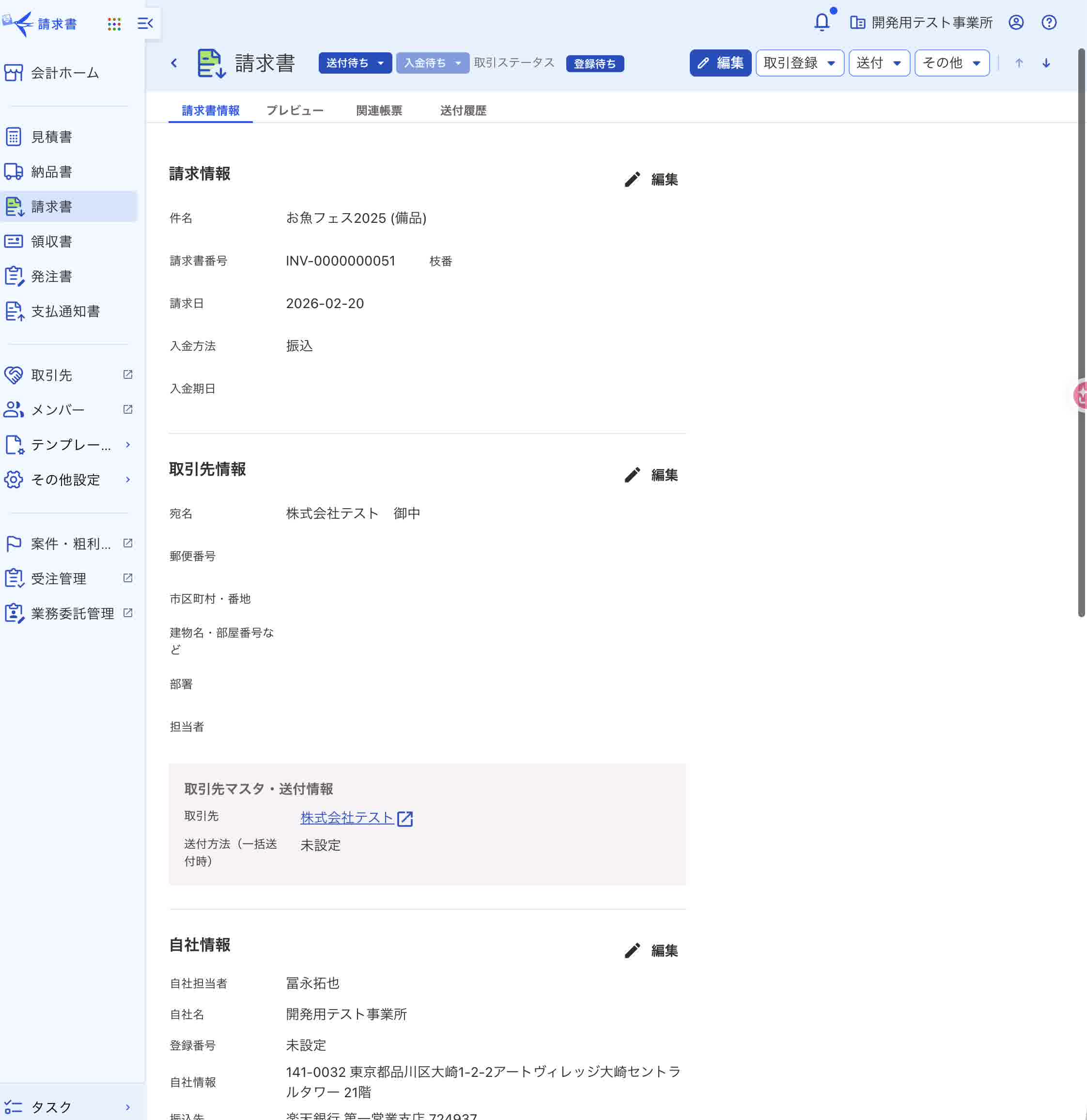
| Business tool integration | △ | △ | × | × | △ | ◎ | Auto-transfer to freee invoices, COREC orders (8h → 10min) |
Works like Excel, but everything is connected behind the scenes
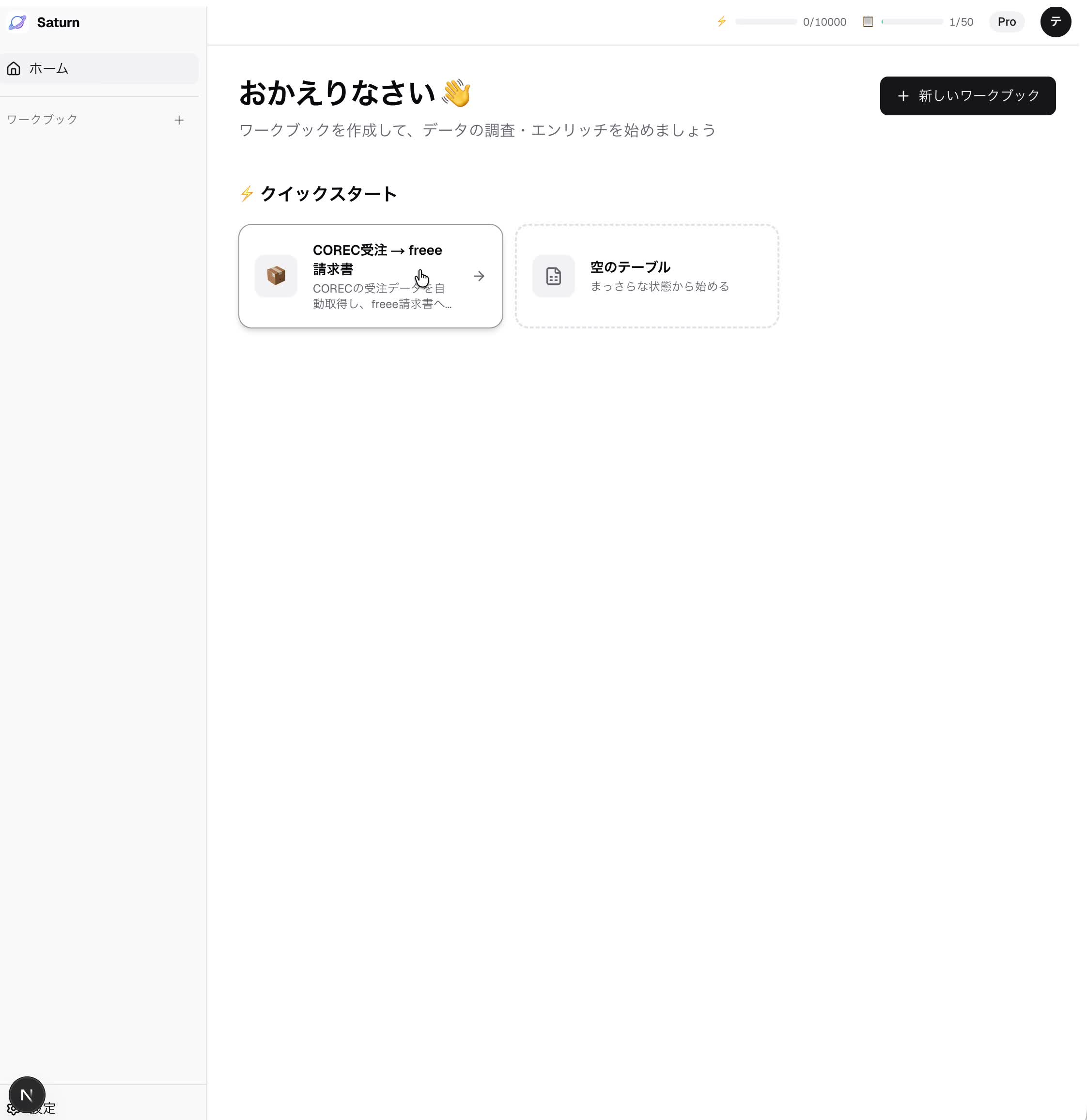
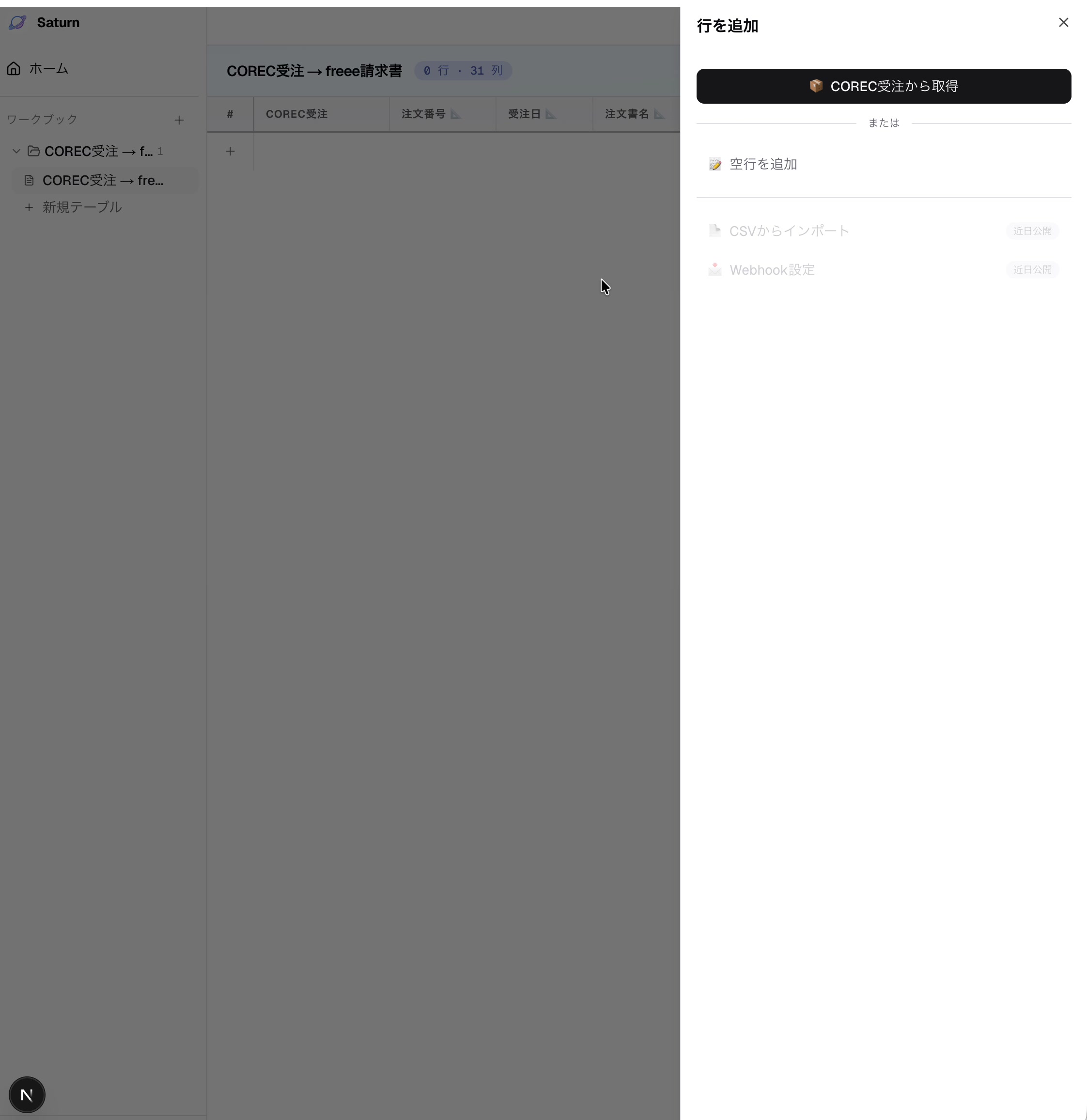
Pick a template, press a button. From data retrieval to transfer, columns auto-fill in sequence.

Actual screens: COREC orders → freee invoices
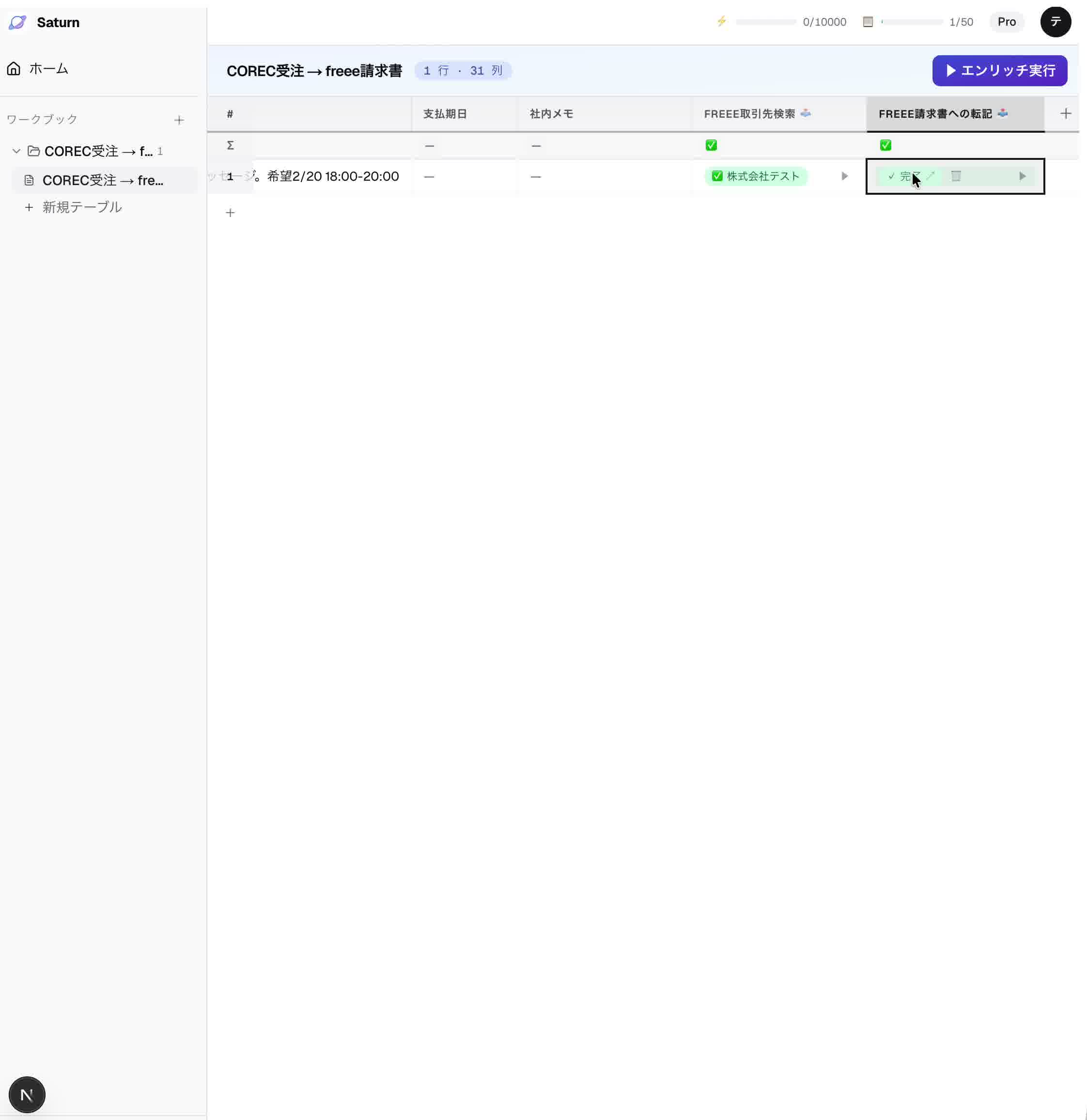
Arrange columns = build a workflow
"COREC orders" → "freee contact lookup" → "invoice transfer". Line up columns left to right, and AI processes them in order.
6M+ companies pre-loaded from day one
Annual reports (EDINET), subsidies & patents (gBizINFO), corporate websites. Enter a company name and data flows in automatically.
Same data for humans and AI
The data on your screen is callable from Claude and ChatGPT via MCP. Humans and AI work from the same source of truth.
This much changes
Pick a template. AI handles the rest.

COREC orders → freee invoices
Company research per company
Trade show follow-up
Resume screening
Accounting
- COREC orders → freee invoices | 100/day: 8 hours → 5 min
- Gmail invoices → Zengin bank format | zero manual entry
- Outlook invoices → Zengin bank format
Sales
- Company research | EDINET + gBizINFO + Web in 30 sec
- AI sales letters | personalized per company
- Trade show follow-up | 500 cards → same-day emails
Recruiting
- Gmail resume PDF → AI screening | 100 apps/day auto-scored
- Outlook applications → AI scoring
Support
- Gmail / Outlook → AI triage & reply | avg 3 min → instant
- LINE → AI classification & reply
- Gmail → Zoho CRM lead transfer
Marketing
- SNS thumbnails | 50/month auto-generated with Gemini
- note SEO articles | bulk generate from keywords → auto-publish
Documents & Notifications
- Google Forms → acceptance PDF generation
- Table → Slack / Teams auto-notification
All templates run on the same engine. Just pick the one you need.
DATA SOURCES
Just enter a company name. Data flows in.
Enter a company name. Financials, people, and news auto-populate column by column.
EDINET
LiveAnnual reports (PDF + XBRL financials). 130K documents over 10 years.
gBizINFO
LiveBasic info, subsidies, patents, procurement, certifications. Corporate number-based.
Corporate Number
LiveEntity resolution foundation. Unification key for all government data.
Corporate Websites
LiveStructured crawl via Firecrawl. Business overview, IR, careers.
Wantedly / YouTrust
In developmentOrg structure and key people from talent platforms.
PR TIMES / Patents
In developmentSignal detection from press releases and patent filings.
FOR DEVELOPERS
Access Japanese company data via API and MCP
Japanese company data, structured and normalized. Ready for your AI agents and internal tools.
REST API
Company search, financials, enrichment — programmatically.
MCP Server
22 tools + 6 resources. Direct access from Claude Desktop and AI agents via Streamable HTTP.
Webhooks
Real-time notifications on enrichment completion and new data.
// Fetch table data via MCP
const result = await mcp.callTool("list-rows", {
  workbookId: "wb_xxx",
  worksheetId: "ws_xxx",
  limit: 100,
});

// Enrich company data
await mcp.callTool("enrich-rows", {
  worksheetId: "ws_xxx",
  rowIds: ["row_1", "row_2"],
});14 integrations
Email, accounting, orders, business cards, chat, CRM — one-click connect. Manual entry gone.












Pricing, quoted individually
It depends on your scale and the systems you connect. Talk to us first.
Starter
For small teams starting automation
- All templates available
- External service integrations
- Up to 10 tables
Pro
For teams needing serious processing power
- All templates available
- External service integrations
- Up to 50 tables
- Priority support
Custom integrations or enterprise scale? Same door:Contact us
FAQ
Frequently Asked Questions
Answers to common questions about Saturn.
See Saturn in action
Watch feature demos — each shipped as a release.
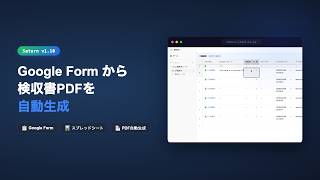
📊 Google Sheets integration + auto-generate acceptance PDFs
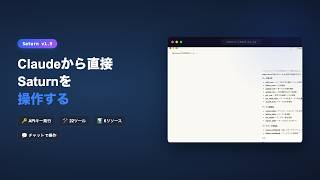
🔌 MCP support — Access Saturn tables from Claude Desktop

📝 Bulk SEO article generation for note.com

💬 LINE inquiry management — AI auto-classification & reply
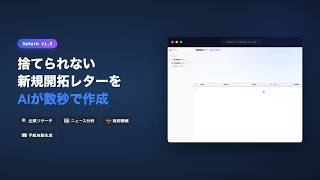
✉️ AI-generated sales letters that don't get thrown away

📄 AI reads resumes and auto-ranks candidates S~D

🏦 Gmail invoices → Zengin bank transfer format

🚀 Saturn official launch
The meaning behind the name
The star that bears your trials
In astrology, Saturn is known as the planet of trials. Sales preparation—company research, letter writing, data entry. Saturn takes on that burden so you don’t have to.
Once, it was the Sun
In ancient Babylon, Saturn was called the “Sun-Star” and held equal rank to the Sun itself. Alchemists called it “the Primordial Sun” and “the Best Sun.” In cuneiform astronomical tables, it bore the name of the sun god Shamash.
Reclaiming its true meaning
Over the centuries, Saturn was downgraded to a symbol of hardship and misfortune. As a product, Saturn reclaims its original meaning—the primordial sun that illuminates the darkness of back-office work.
The star of trials, returning to its place as the primordial sun.
Why I built Saturn
One person spent 8 hours a day, 20 days a month, just copying COREC orders into freee invoices. That’s when I knew this was the problem I had to solve.

After 9 years at Toshiba, I left to talk to businesses firsthand. What I found was manual work everywhere. One company had someone spending 8 hours a day transferring order data to invoices. I started with a chat-based workflow builder like Zapier — but users didn’t know what to type. So I switched to a familiar Excel-style UI where you can see exactly what AI is doing, cell by cell. Even if AI hallucinates, you catch it instantly.
Cut manual work
starting today
Pick a template and your workflows run automatically. Talk to us to get started.
Contact us